

You can now change the sender name for your mailboxes (the From: address that your recipients will see when receiving mail from you) to be different to what you have in your Groove account.
Header over to Settings → Channels → Mailboxes → General to edit any of your mailboxes:
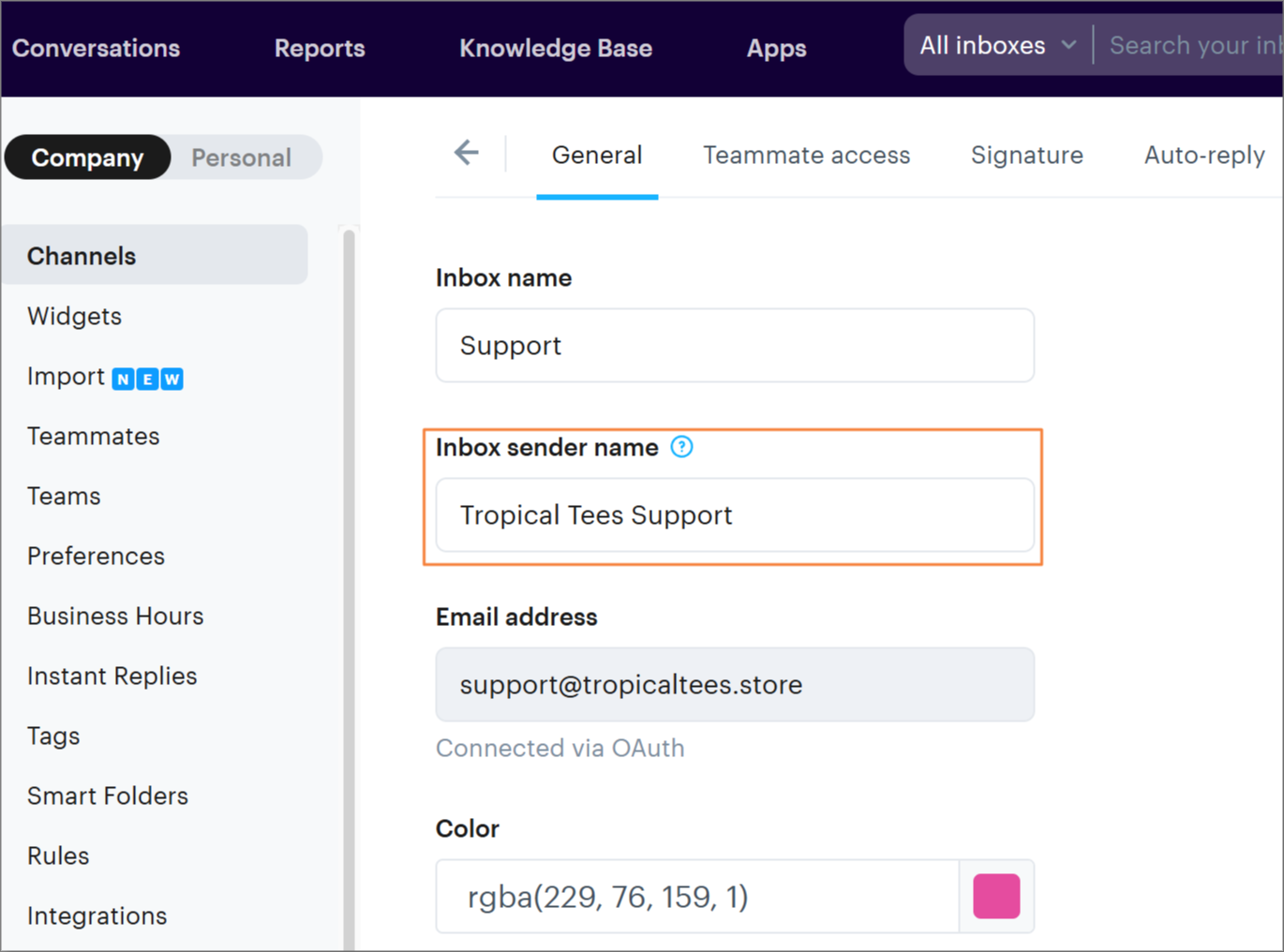
Inbox name: This is what you'll use to label your mailboxes internally, only viewable to you from within Groove.
Inbox sender name: This is where you'll customize what your recipients see when you email them - when they receive mail from you, the From: address will show this custom sender name
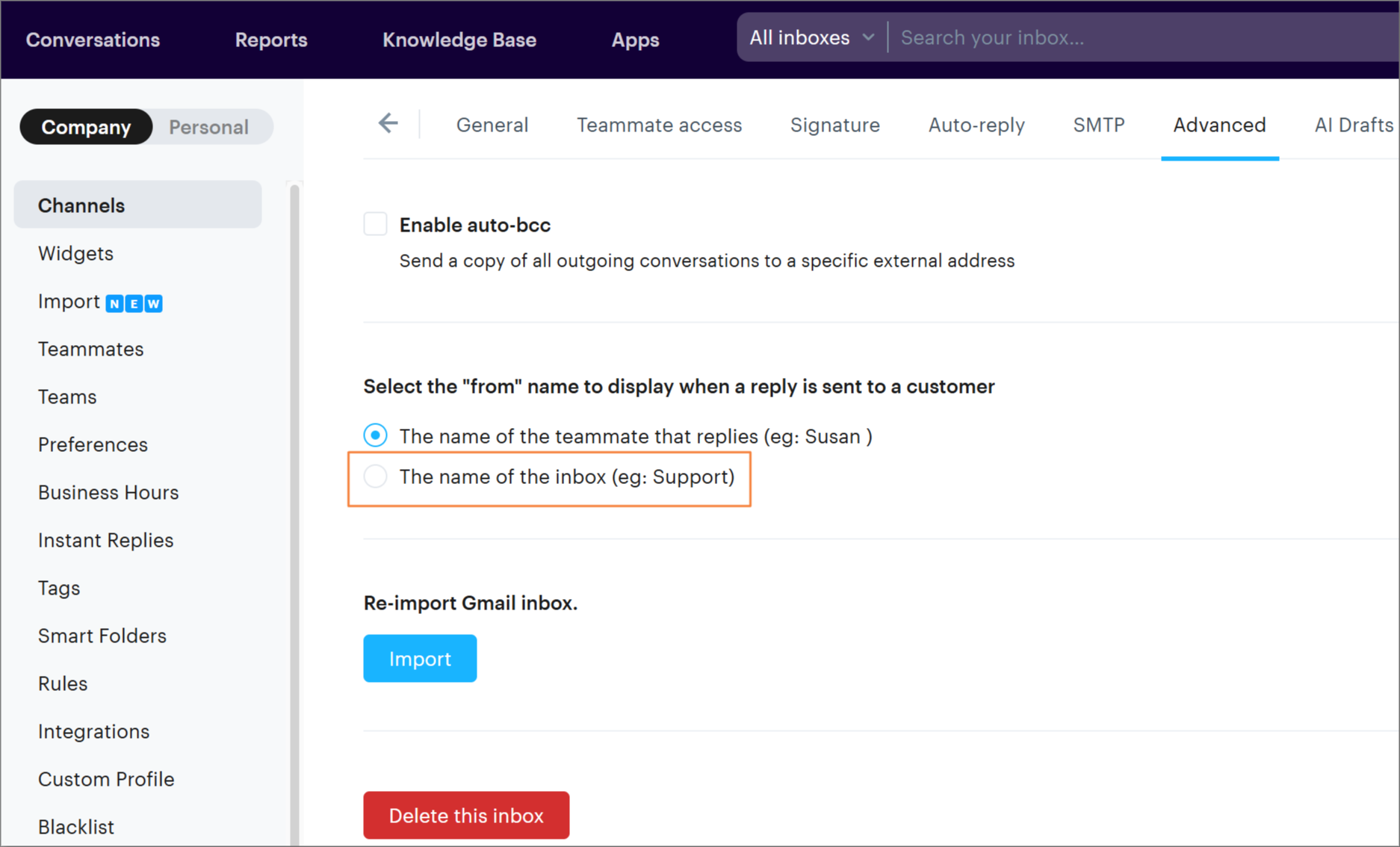
Note: make sure under your Advanced mailbox settings that you've chosen to send From: the name of the mailbox! Settings → Channels → Mailboxes → Edit → Advanced
Example:
You can use the new mailbox_name variable across various features:
Instant Replies: Insert the sender name in your canned responses.
Email Rules: Include the sender name in rule-based actions like email notifications or replies.
Inbox Signatures: Personalize your email signatures with the sender name for each inbox.
If you need a hand with setting your customer sender name, just give us a shout!