
What are you looking for?

Get help straight from the team at Groove

Editing The Subject Line Of A Conversation

Inbox

Editing The Subject Line Of A Conversation

How to edit and update the subject of a conversation in Groove

Last updated on 27 Jun, 2024

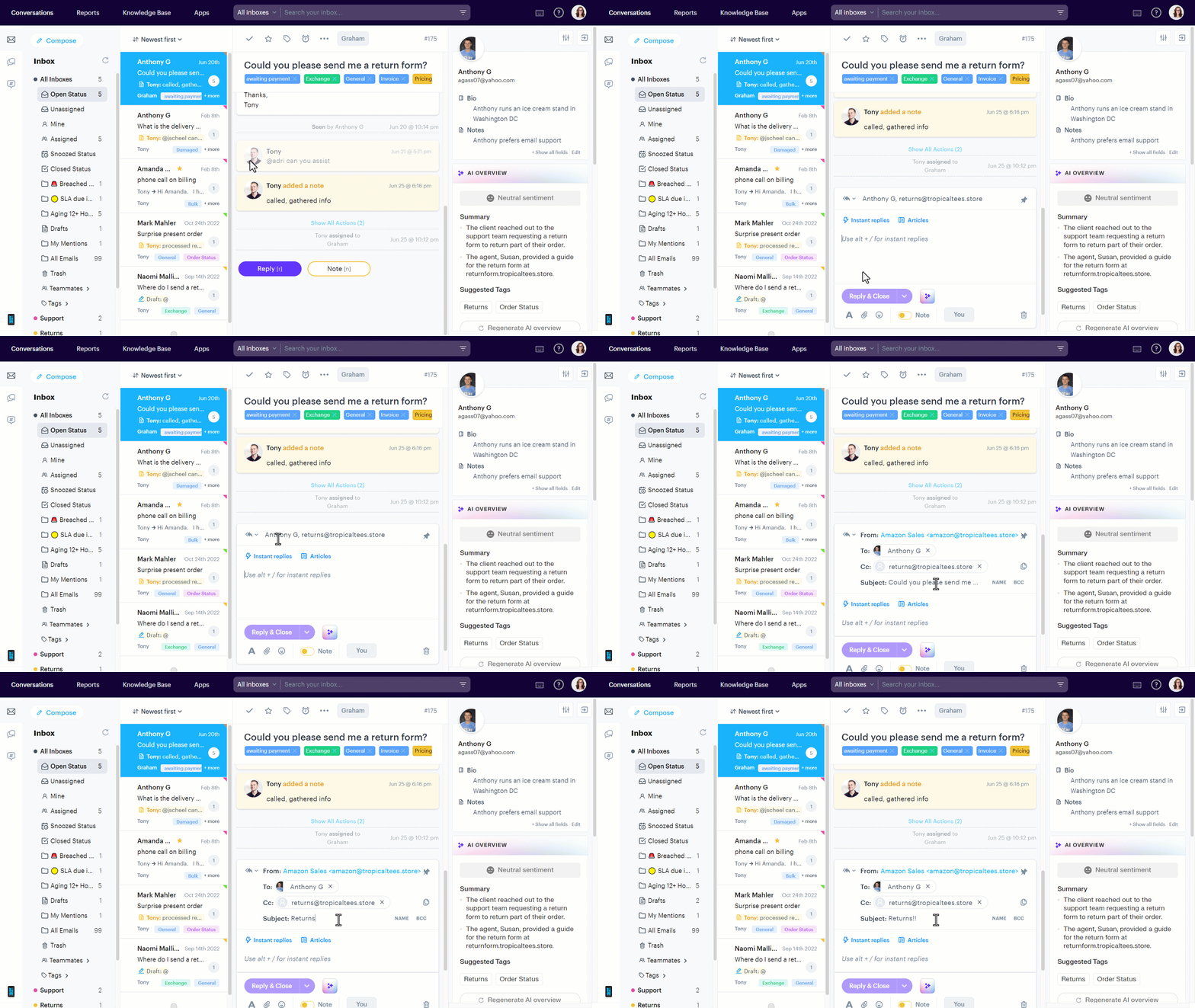
To change the subject line of a conversation, click into it, click on the recipients name to expand the editor, and then click subject. It will change to an editable field and then you can type whatever you like. 
Image

When you're done, just hit Enter/Return and you'll be on your merry way, the subject will now be updated to what you've changed it to!

Was this page helpful?
Previous

Knowledge Base integration for your Groove Inbox

Next