
What are you looking for?

Get help straight from the team at Groove

WordPress Installation

Widget

WordPress Installation

How to install the Groove Widget on your WordPress website

Last updated on 13 Dec, 2022

1. Copy the snippet from your widget's settings page
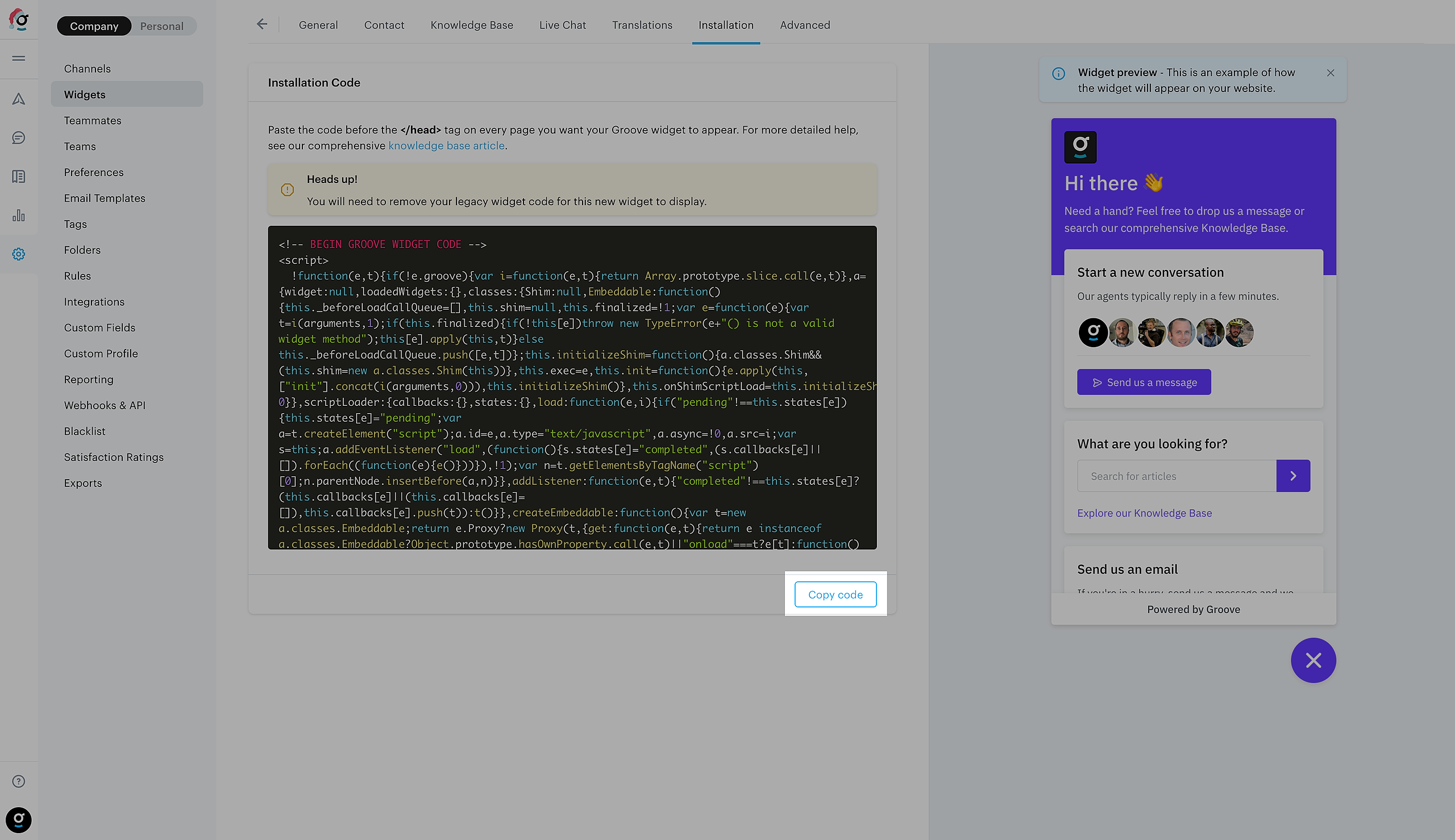
Image

2. Go to your WordPress admin page and open up Appearance > Theme Editor

3. Paste the snippet into the HTML

Open up the Theme Header file, paste the snippet before the closing </head> tag, and click Update File.
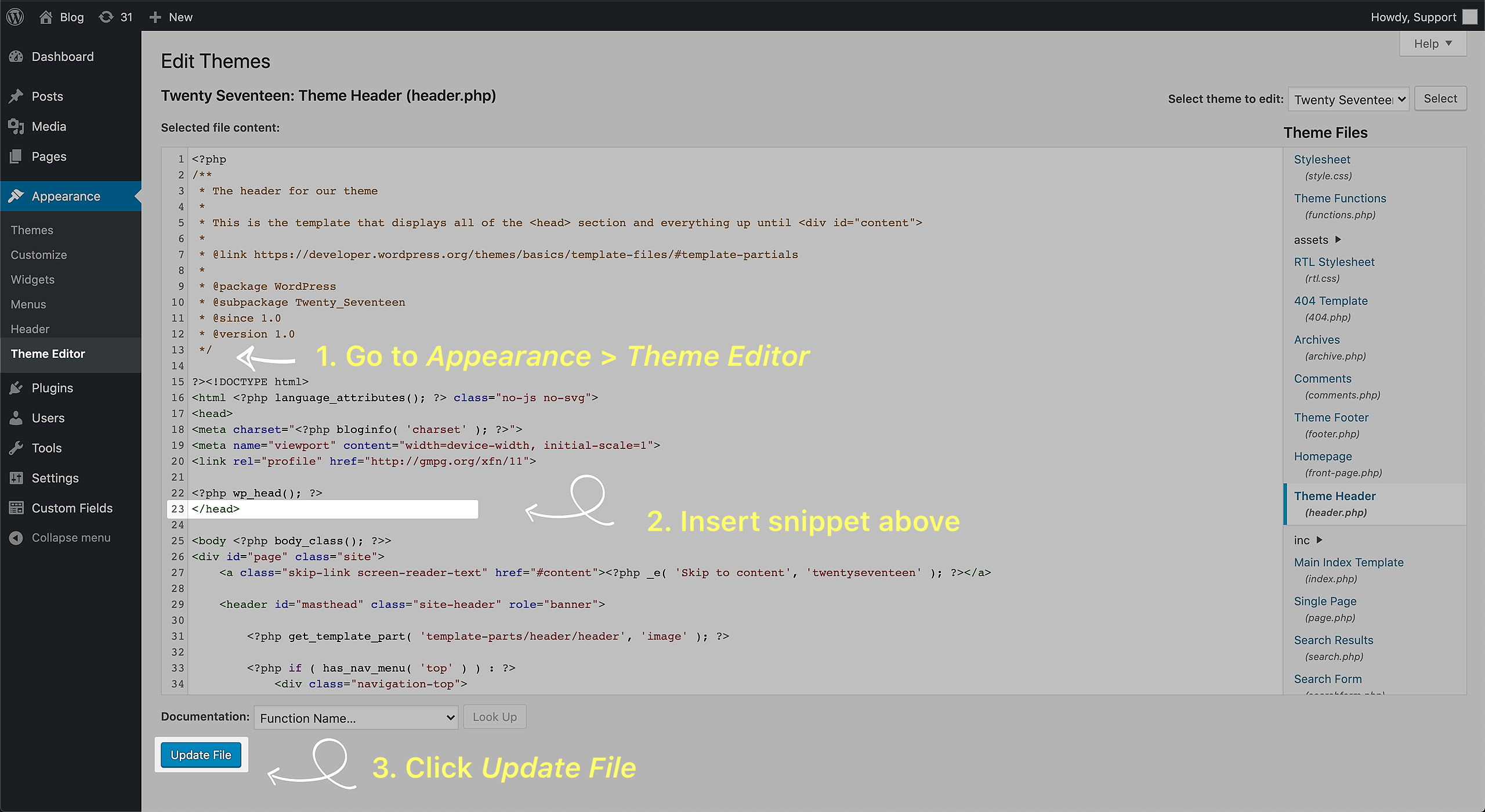
Image
Was this page helpful?
Previous

Configuring your Widget contact form

Next